-
 Branding
Make every webinar unmistakably yours
Upload your logo, pick your colors, and give your audience a professional branded experience they'll recognize and trust.
-
 Registration & Streaming pages
Three beautiful page themes
Choose from three stunning themes for your registration and streaming pages, and customize them to match your brand perfectly.
-
 Free trial
Host your first webinar for free
Not sure where to start? Create a webinar, invite your audience, and go live — all within your 14-day free trial. No credit card needed.
-
 Integrations
Connects with your favorite tools
Sync registrations and attendance data with HubSpot, ActiveCampaign, Zapier, and 100+ tools your team already uses.
-
 Statistics
Know exactly what's working
Track registrations, attendance, engagement, and replay views. See exactly what's working — and where to improve.
-
 Email automation
Emails that do the work for you
Send fully branded confirmation, reminder, and follow-up emails automatically. Customize them to match your style and message.
-
 Interactions
Keep your audience engaged
Add polls, calls to action, and Q&A to your webinars. Drive real results and keep viewers involved from start to finish.
-
 Recently added
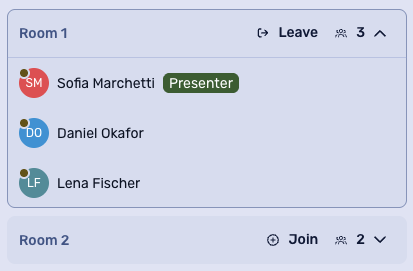
Bring your audience together in breakout rooms
Split a live webinar into smaller rooms where viewers can talk, collaborate and share ideas. Participants can choose a room, check their camera and microphone before joining and use chat and screen sharing based on your webinar settings. Bring everyone back to the main session when it is time to continue together.